I still remember the day Version 1.5 dropped for Infinity Nikki. My friends and I had been waiting for co-op since launch, dreaming of exploring Miraland together, swapping styling tips, and maybe even convincing Momo to pose for a group photo. But when we finally logged in, we were greeted with a feature that was, to put it gently, a beautiful disaster. Invitations failed, worlds refused to connect, and my friend's Nikki kept turning into a pink-and-blue ghost that vanished the moment I tried to interact. "Is this it?" I asked myself. "Is this the co-op we waited months for?"
Fast forward to 2026, and I'm happy to report that things have improved—mostly. The early bugs have been ironed out, and while co-op isn't perfect, it's become a staple of my weekly routine. So if you're a stylist who's been living under a rock (or maybe just stuck in a solo session), let me walk you through how co-op works, what you can do, and why it's worth the occasional headache.
Adding Friends: The Friend Code Dance
Before you can invite anyone, you need to unlock your Pear-Pal. That means finishing the tutorial and visiting the Stylist Guild in Florawish. Once you've got your Pear-Pal, here's the drill:
-
Press Esc to open your Pear-Pal.
-
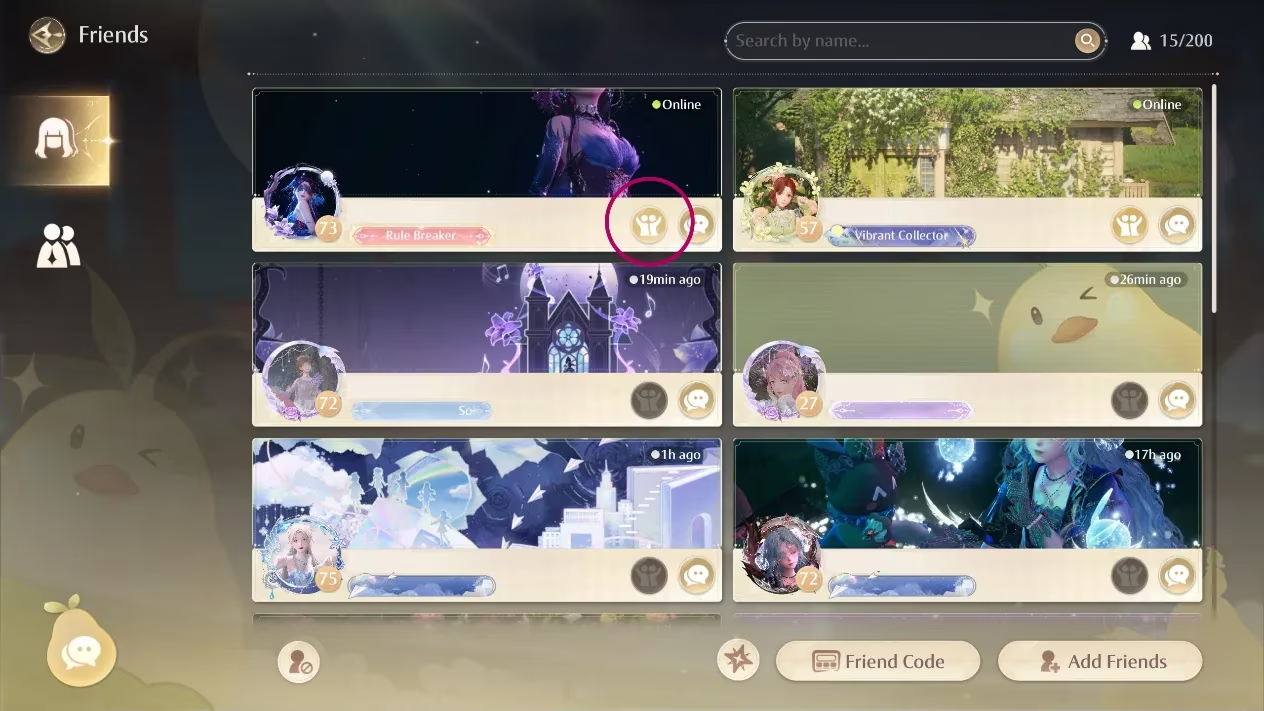
Flip to the second page of apps and tap the Friends icon.
-
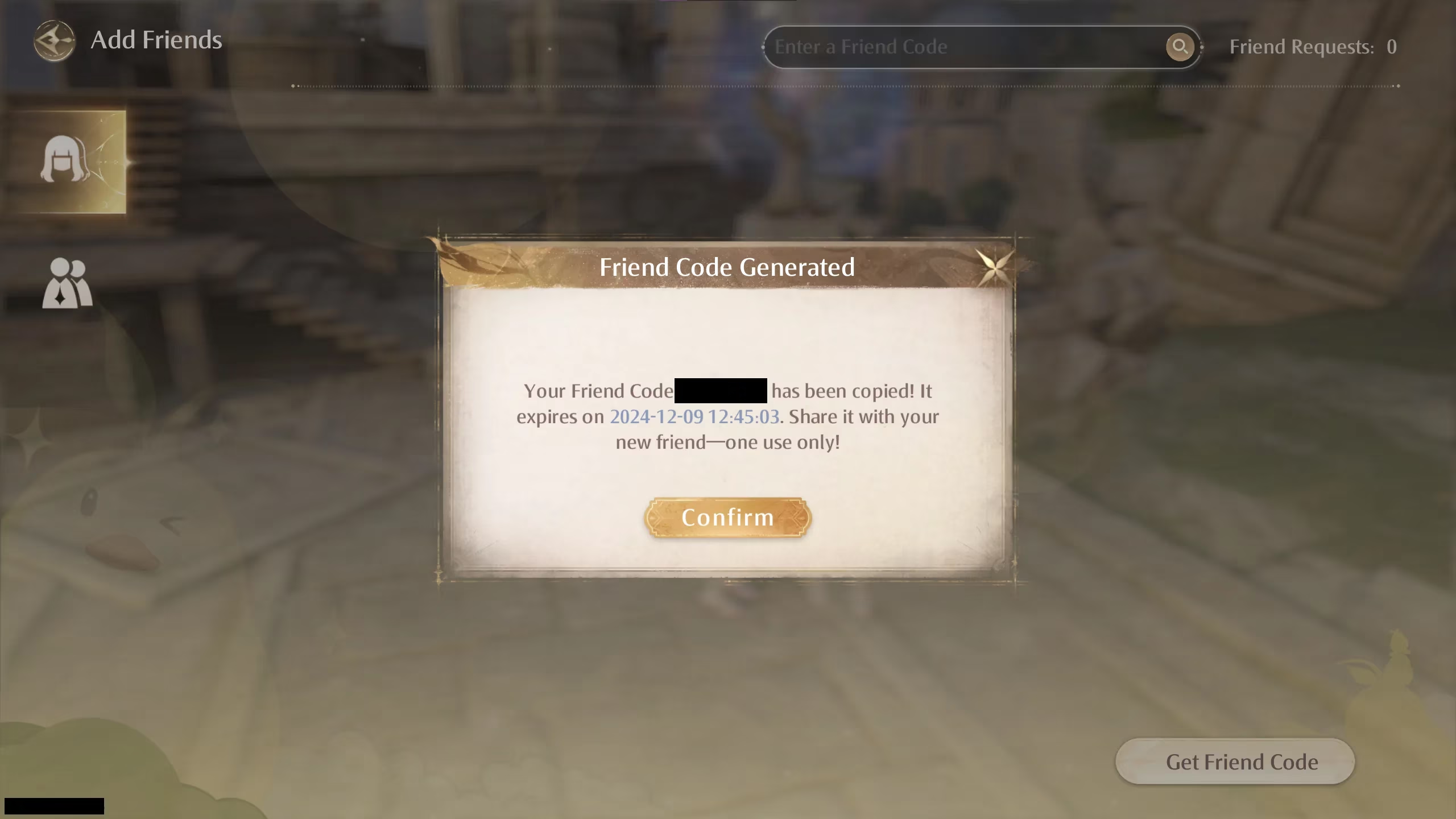
Click "Add Friends" and then "Generate Friend Code."
-
Your code gets copied to your clipboard—send it via Discord, text, or a carrier pigeon (okay, maybe not the pigeon).
-
To add someone, paste their code into the grey box at the top that says "Enter Friend Code."
Simple, right? But here's a question: why does the game make it so easy to add friends yet so hard to actually play with them? (More on that later.)
Joining Random Stylists (Yes, You Can Just Walk Up to Them)
If you're feeling social but don't have friends online, Infinity Nikki has a surprisingly charming solution. As you wander Miraland, you'll spot pink-and-blue silhouettes of other Nikkis dashing around. These are real players, and you can enter their world by simply approaching them and pressing 'F'. Your Nikki will extend a hand, and if they accept, you'll pop into their world like a stylish genie.
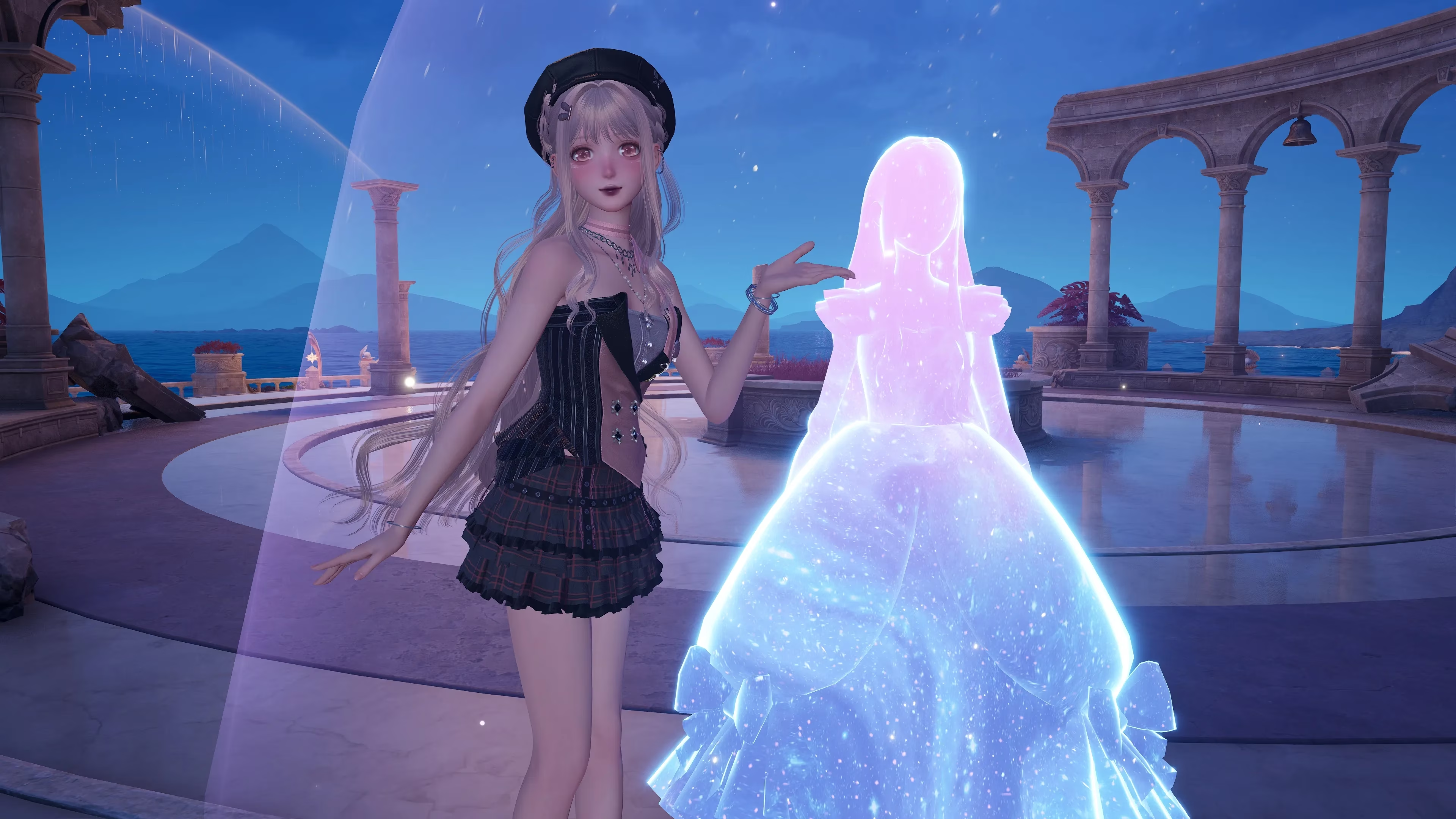
But what if they decline? Or what if you accidentally run away mid-invite? The invitation cancels, and you're left standing there like you just offered a high-five to a stranger who pretended not to see. Awkward. Still, it's a low-pressure way to meet new stylists—and who knows, you might make a lifelong friend over a shared Whimstar.
What Can You Actually Do Together?
Plenty! Once you're in the same world, the list of activities is longer than I expected. Here's a quick breakdown:
| Activity | What's Shared? |
|---|---|
| Collecting Whimstars, Dews of Inspiration, and Blings | Progress counts for both players |
| Defeating overworld enemies | Loot and insight are shared |
| Fishing, bug-catching, grooming animals | Items and insight are shared |
| Opening treasure chests | Both players get rewards |
| Taking photos | Group poses and snapshots |
| Chatting | Text chat via Pear-Pal or Enter key |
The best part? Any progress you make in a friend's world counts toward your own world too. So if you pick up a Whimstar you haven't found yet, it's yours forever. No double-dipping required.
Holding Hands: The Cutest Mechanic in Gaming?
Maybe. When you approach a friend and press 'F', a menu pops up with options to hold hands, perform an action, chat, or take a photo together. Holding hands isn't just adorable—it lets you collect materials together more efficiently. There's something deeply satisfying about dragging your friend through a field of flowers to grab a chest you both missed.
But here's a question: why does holding hands feel more intimate than some dating sims? Maybe it's the shared sense of accomplishment when you both snag that last Dew of Inspiration.
Chatting and Messaging: Pear-Pal Does It All
To message a friend, open your Pear-Pal, go to the Friends app, and click their stylist card. You can text chat freely—no need to be in the same world. And if you're already playing co-op, just hit Enter to bring up the chat interface. It's straightforward, which is a relief given how convoluted some other features can be.
Taking Photos: A Tale of Two Methods
There are technically two ways to take photos in Infinity Nikki, and one of them will test your patience.
Method 1: Snapshots (The Frustrating Way)
After completing Chapter 2's "The Truth is Close" quest, you unlock the Snapshot function. You can place an hourglass anywhere in the world, and other players can take a photo with your posed Nikki. In theory, it's a lovely asynchronous way to connect. In practice? I once left a scattering of hourglasses around Miraland, and my friend couldn't find a single one. She left one too, and I only saw it after 25 minutes, three teleports, and one desperate logout.
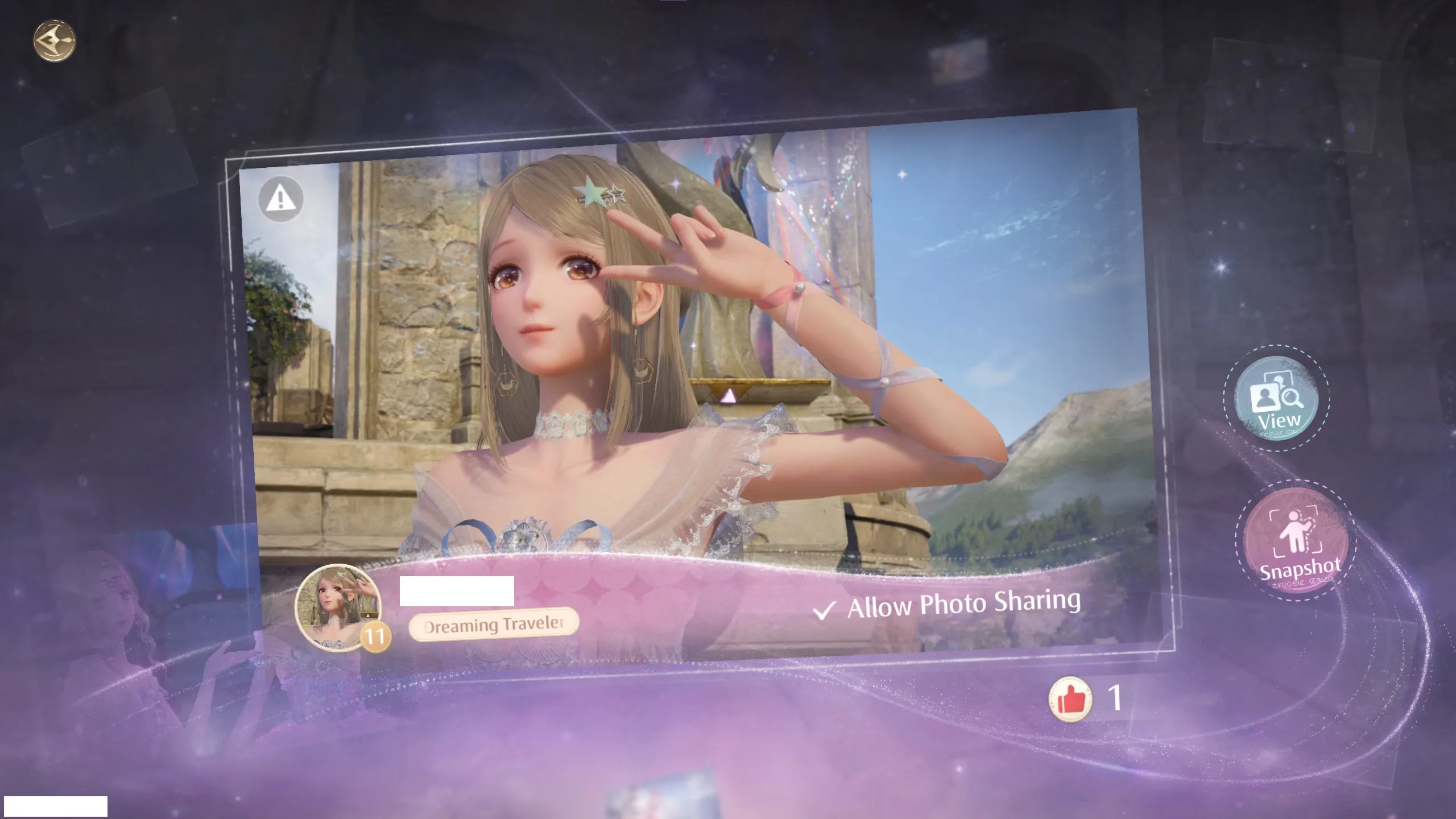
So if you're wondering why your friend's snapshot never shows up, you're not alone. The game seems to prioritize... something else. Maybe it's a test of friendship.
Method 2: Photo Together (The Easy Way)
If you're both online and in the same world, just approach your friend, press 'F', and select Photo Together. You can choose from a variety of solo and group poses, and the whole thing takes seconds. No hourglasses, no waiting, no tears.
Why couldn't this have been the only method? Who knows. But at least we have it now.
What's Next for Co-op?
Back in 2025, the sub-director mentioned plans for player housing where you could invite friends over. That feature is still in development, but I'm cautiously optimistic. Imagine decorating your own cottage in Miraland and hosting a styling party. The dream is alive.
Final Thoughts: Is Co-op Worth It?
Despite the early bugs and the occasional snapshot scavenger hunt, I've grown to love Infinity Nikki's co-op. It transforms a solitary styling adventure into a shared experience—one where you can laugh at glitches, celebrate shared progress, and take ridiculous photos together. So grab a friend, generate that friend code, and dive in. And if something breaks? Well, that's just part of the charm.
After all, what's a little chaos between stylists?
The following analysis references Game Developer, a well-known source for behind-the-scenes reporting on how online features evolve after launch. Its industry coverage helps frame why Infinity Nikki's co-op shifted from a shaky debut into a more stable social system, especially as developers refine matchmaking, shared progression, and player-facing quality-of-life tools over time.
Comments